Integrate with an Identity Provider (IdP)
This page describes the integration of the device password manager to various IdPs.
Generic integration
On the identity provider (IdP) site, the following URL must be registered:
- Redirection URL:
https://<domain>/login - Frontchannel logout URL:
https://<domain>/api/logout-frontchannel - Backchannnel logout URL:
https://<domain>/api/logout-backchannel
In your environment file for the device password manager, you must set the following variables:
DP_OIDC_CLIENT_ID: Client id of the registered app/clientDP_OIDC_CLIENT_SECRET: Client id of the registered app/clientDP_OIDC_DISCOVERY_URL: Client id of the registered app/client
Note
See the possible configuration variables for details.
Keycloak
Keycloak is a self-hosted identity provider. To register the device password manager, log in to Keycloak's admin interface and visit the client overview and use the "Create client" button to open the client creation wizard.
- In the wizard, select "OpenID Connect" as the client type, a client ID and optionally a name and description.
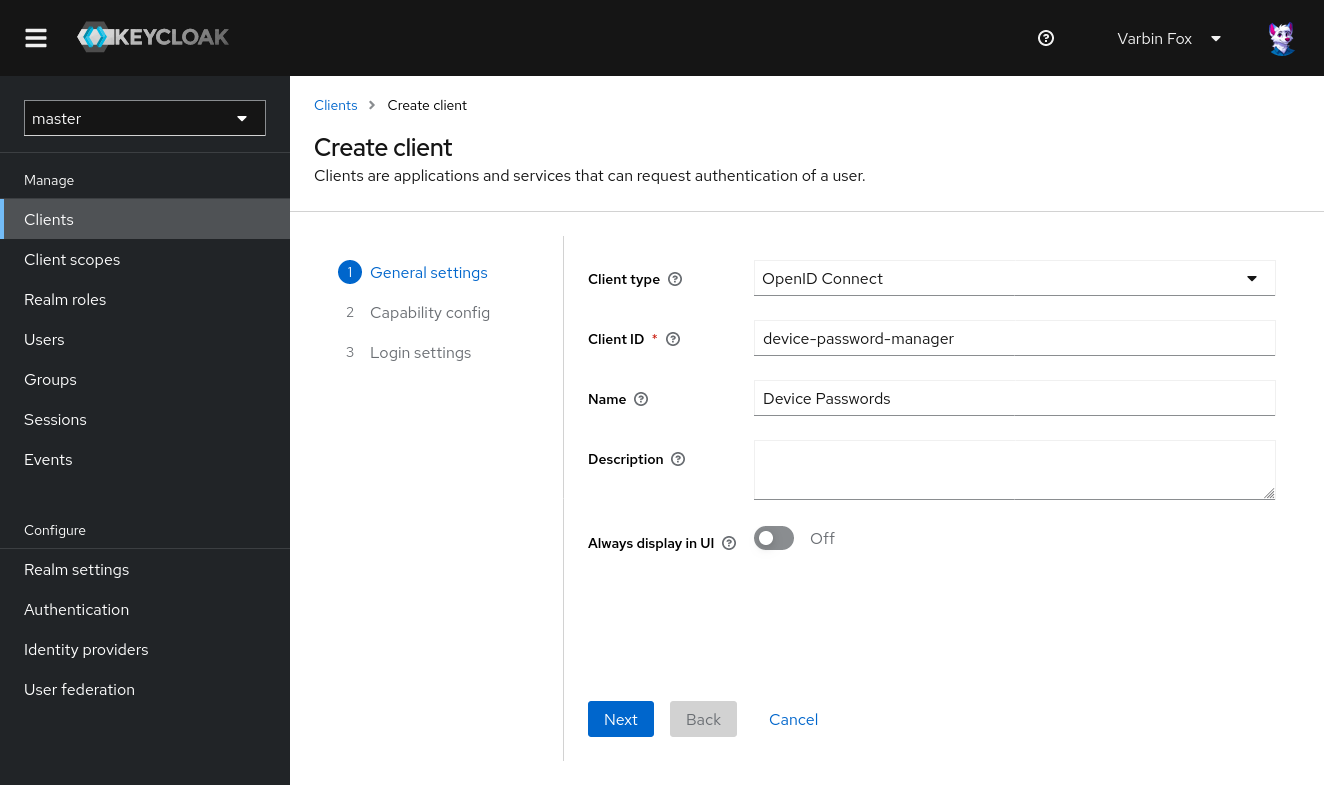 In your environment file, set the given client id as the value for
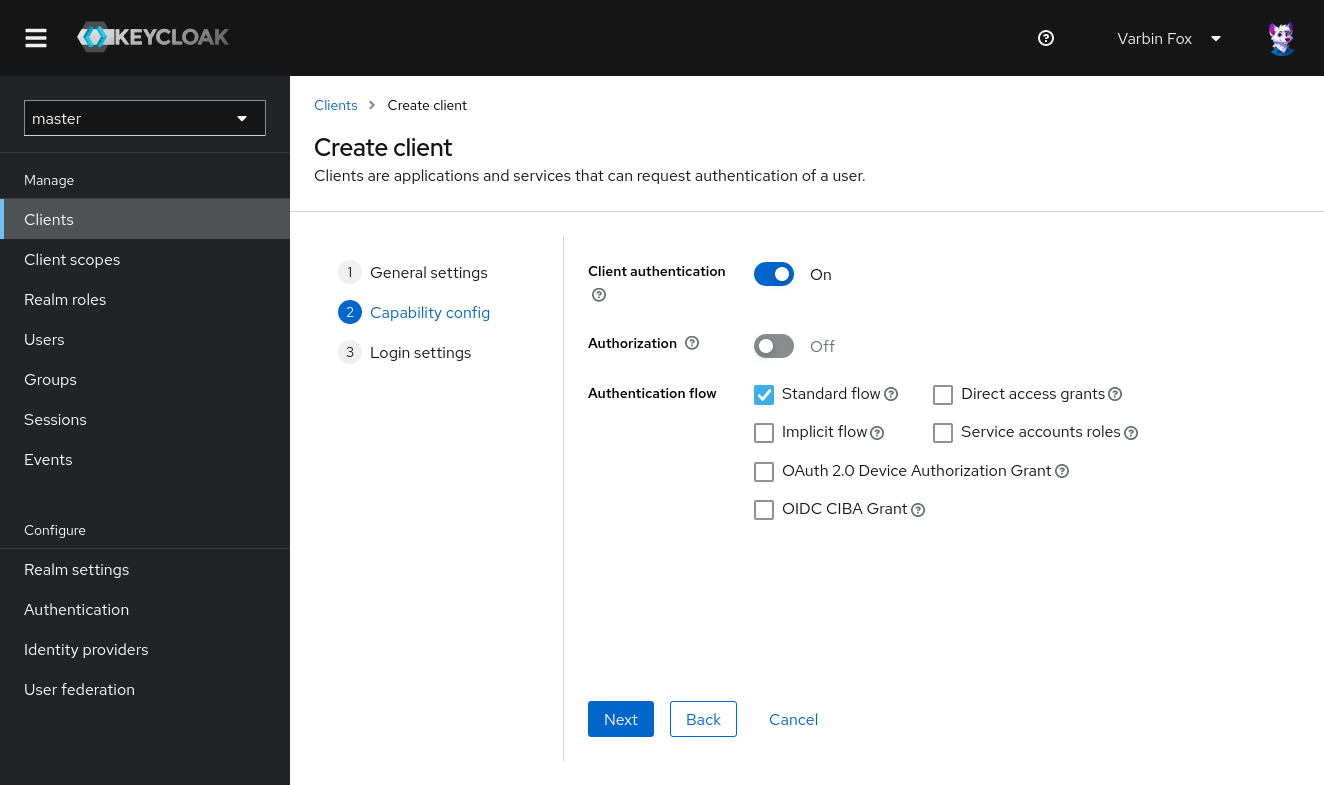
 DP_OIDC_CLIENT_ID - Enable client authentication and (only) allow the "Standard flow".
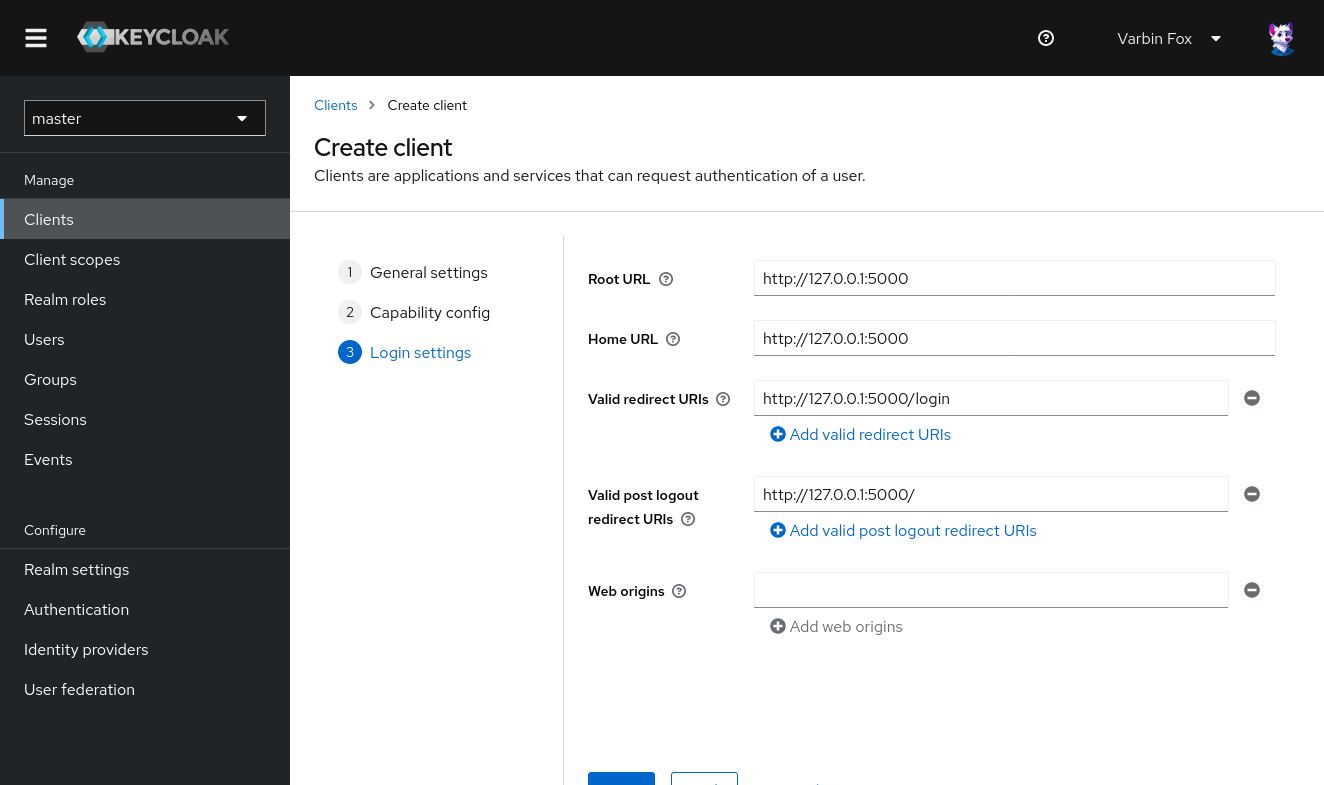
- Enter the root, home, redirection and post logout URL.
In the given example, the device password manager runs on http://127.0.0.1:5000 -- replace this value with your ones.
After this, finish the wizard.
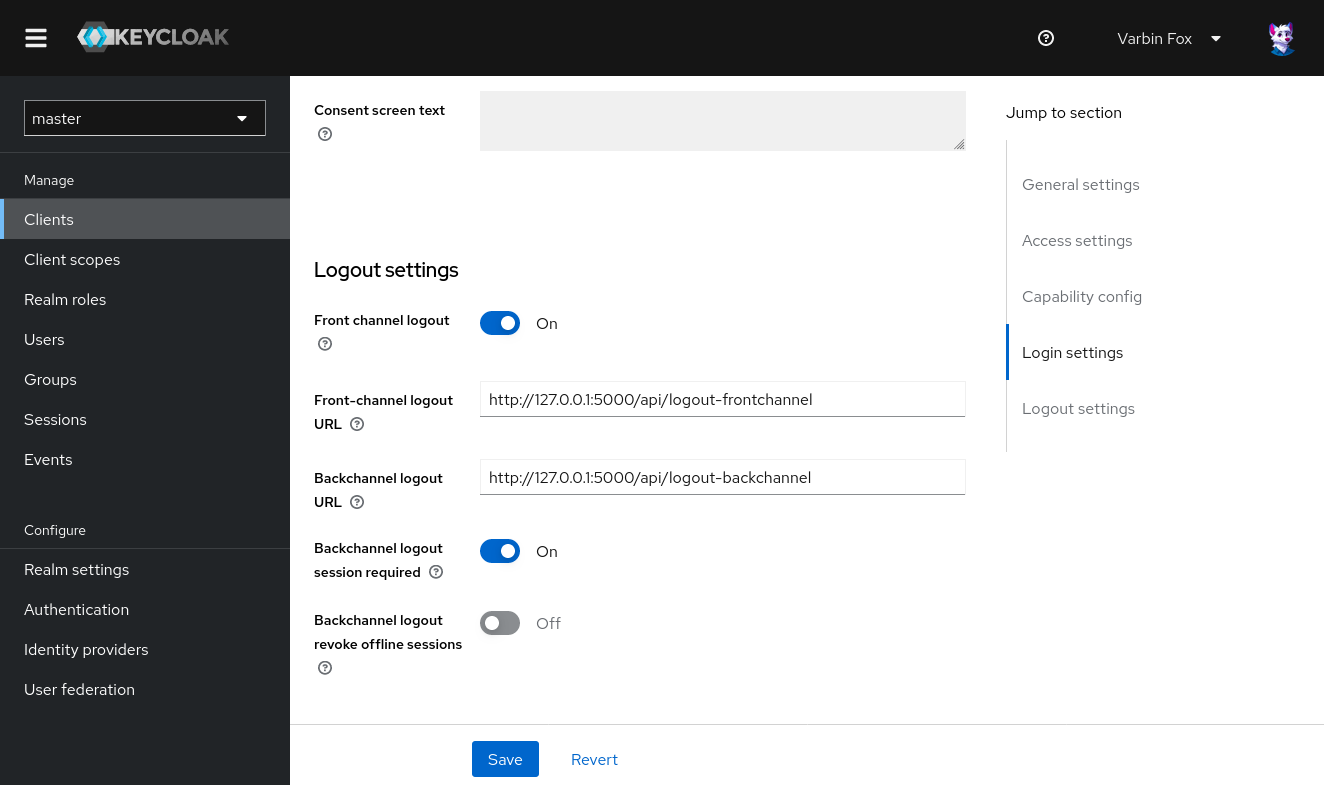
- You can configure the logout URLs in the following screen.
The device password manager supports both, front- and backchannel logout.
Leave "Backchannel logout session required" on.
- In the credentials tab leave the client authenticator as "Client id and Secret" and retrieve the client secret.
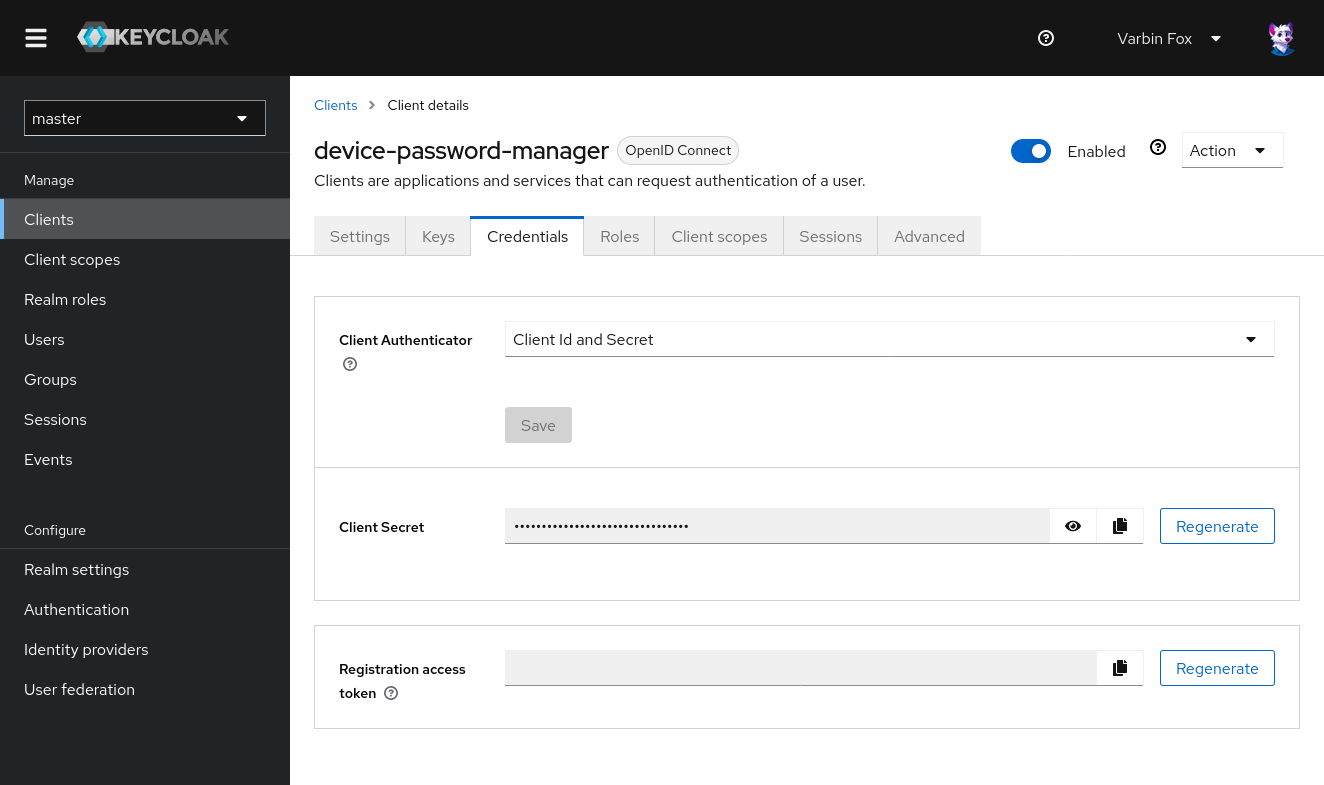 Store the client secret as
 DP_OIDC_CLIENT_SECRET. - The endpoint configuration URL - to be stored as
DP_OIDC_DISCOVERY_URLcan be found in the realm settings.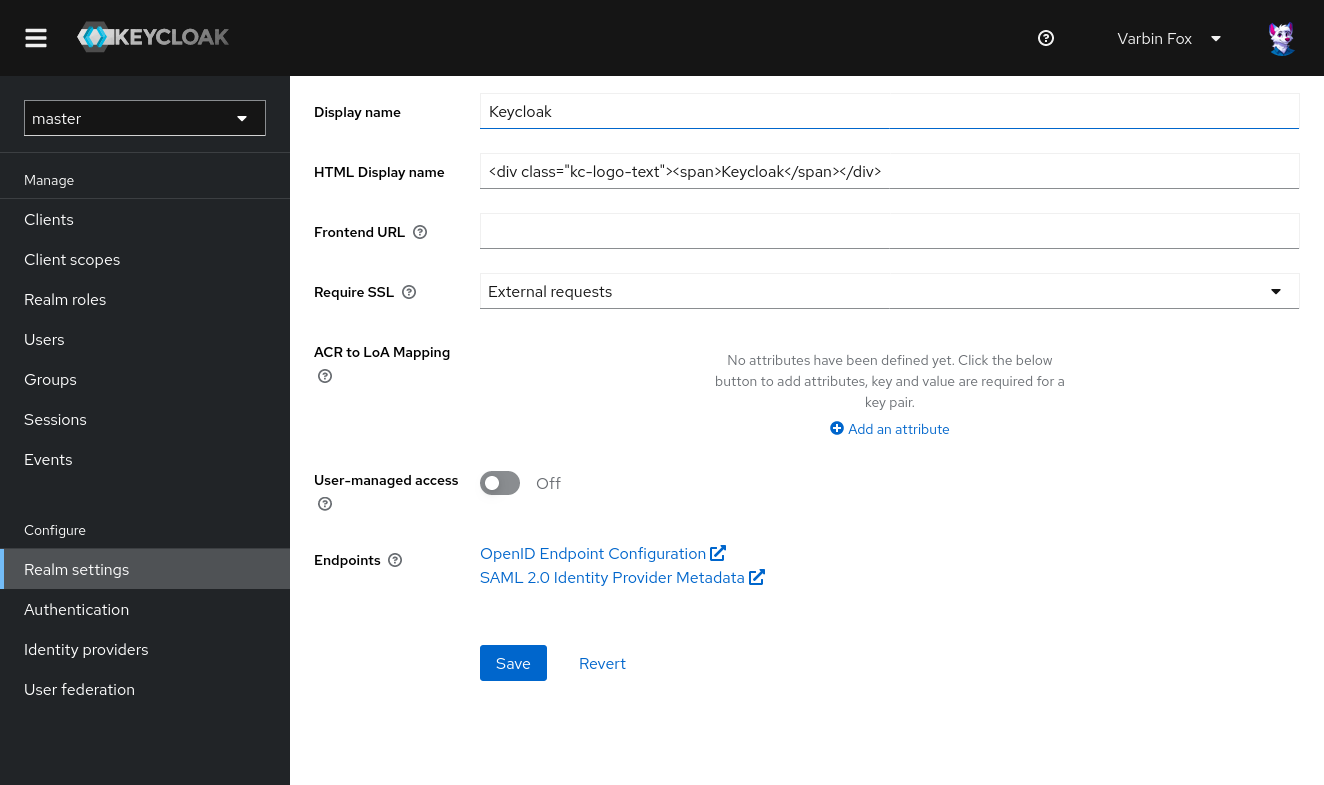
Nextcloud
Nextcloud can work as an identity provider with the [OIDC Identity Provider] plugin.
The discovery URL is https://<base url>/index.php/apps/oidc/openid-configuration.
You can register the device password manager at the administrator settings,
at the security page.
The section is called "OpenID Connect-Clients" (not OAuth 2.0-Clients).
Google
Google can be used as an indentity provider. They describe their OpenID Connect implementation in their authentication documentation.
For integrating the device password manager with Google, follow their guide for Setting up OAuth 2.0. When asked, provide the following details:
- It is a web application, for the redirect URL see the top of this page.
- The only scope required are openid, profile and email access.
- If possible for your use case, deploy an internal application.
Inside your .env-file, set DP_OIDC_CLIENT_ID and DP_OIDC_CLIENT_SECRET to the client id and secret given from Google respectively.
The discovery URL stored in the DP_OIDC_DISCOVERY_URL is https://accounts.google.com/o/oauth2/v2/auth.
Set the DP_OIDC_CLAIM_USERNAME to email, as Google accounts do not have a dedicated username value.
Restrict access to your tenant
Set DP_OIDC_REQUIRED_CLAIM to hd and DP_OIDC_REQUIRED_CLAIM_VALUE to you organization domain.
This assures only members of your organization can log in.
Alternatively, ensure your app is not registered as an "internal" app.
If not mitiaged, it may be possible to register consumer Google accounts to organization addresses. Such consumer accounts might login to the device password management and create device passwords. For details, see the article Google OAuth is broken sort of by Dylan Ayrey.