2. Keykloak
The keycloak instance is running at http://127.0.0.1:8080,
the administration interface is located at http://127.0.0.1:8080/admin/master/console.
You can log in with the username admin and the password Pa55w0rd,
afterward you will be greeted with the server information.
Register the device password manager
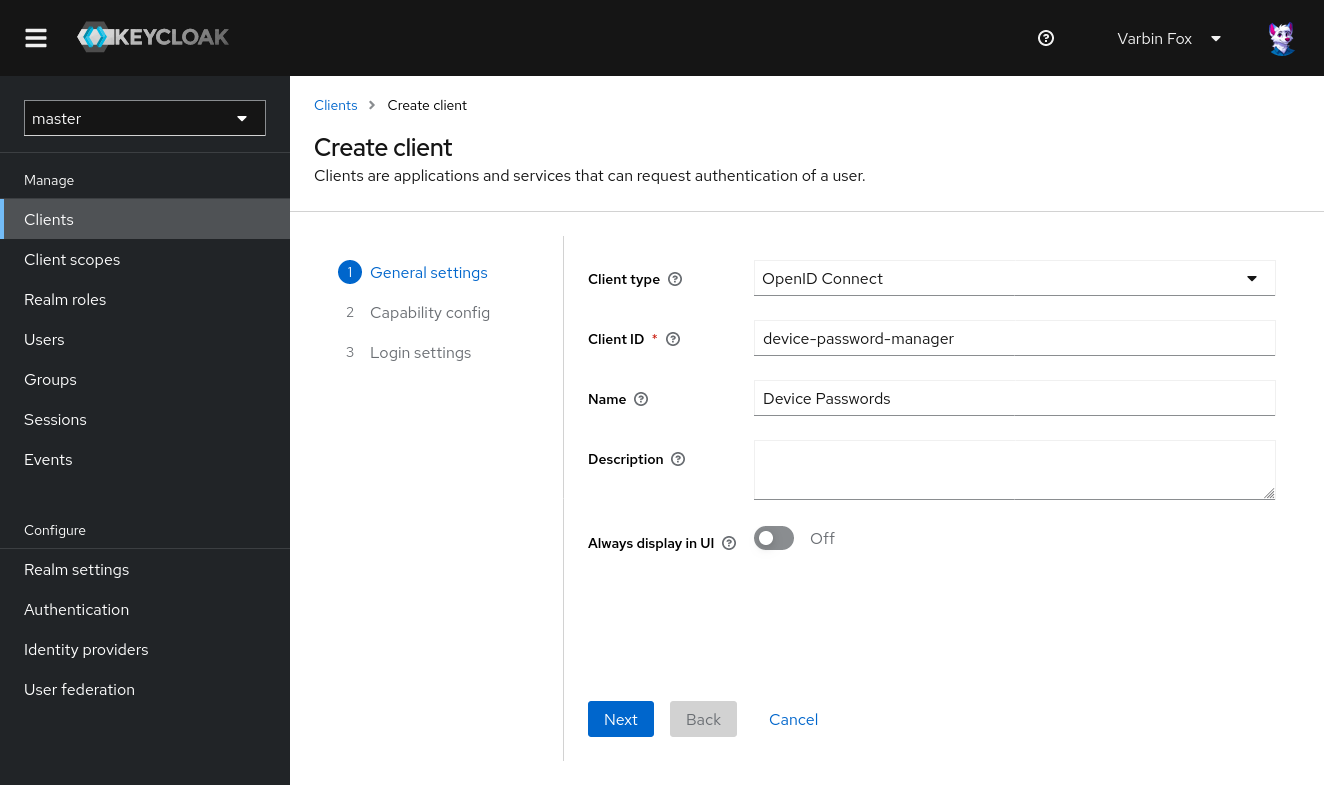
Navigate to the clients tab, and tap Create client.
Enter a device-password-manager into the Client ID field.
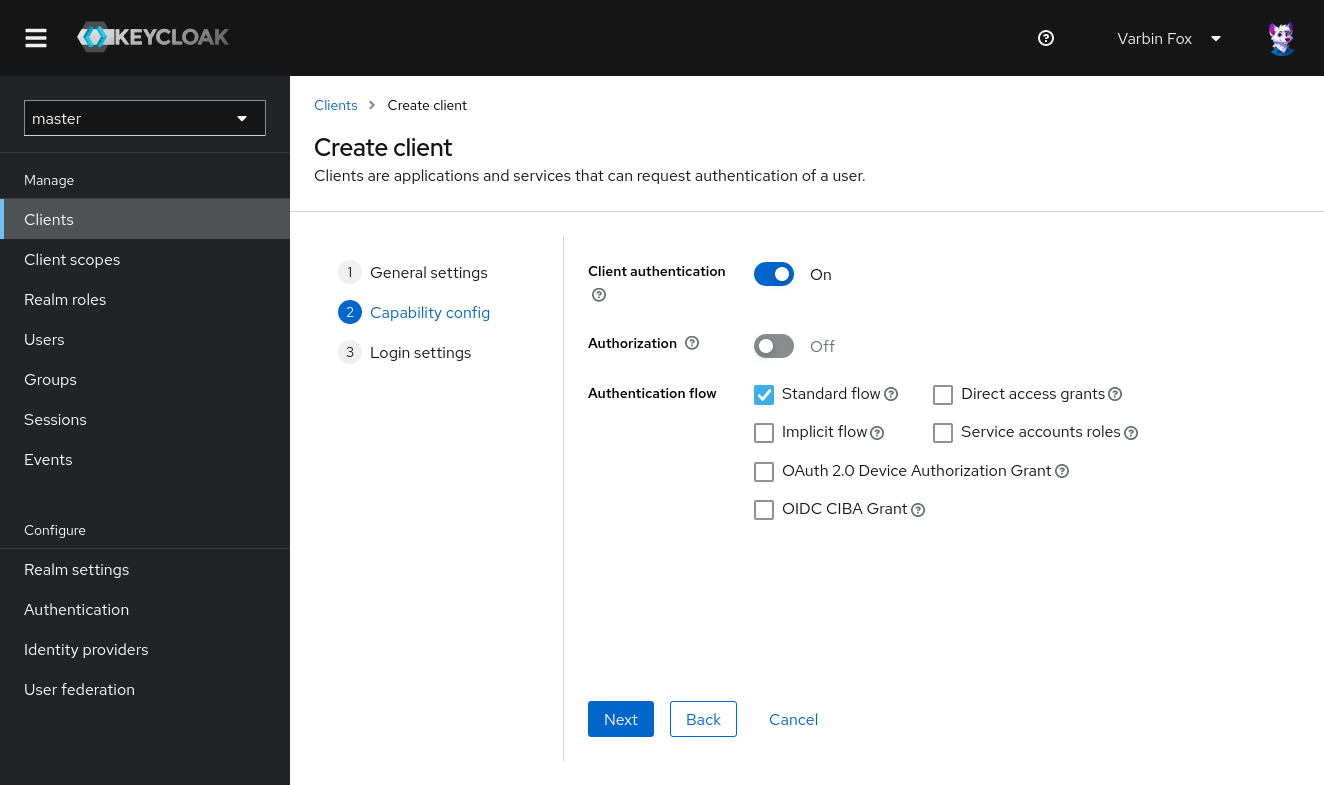
Enable client authentication and enable at least the standard flow:
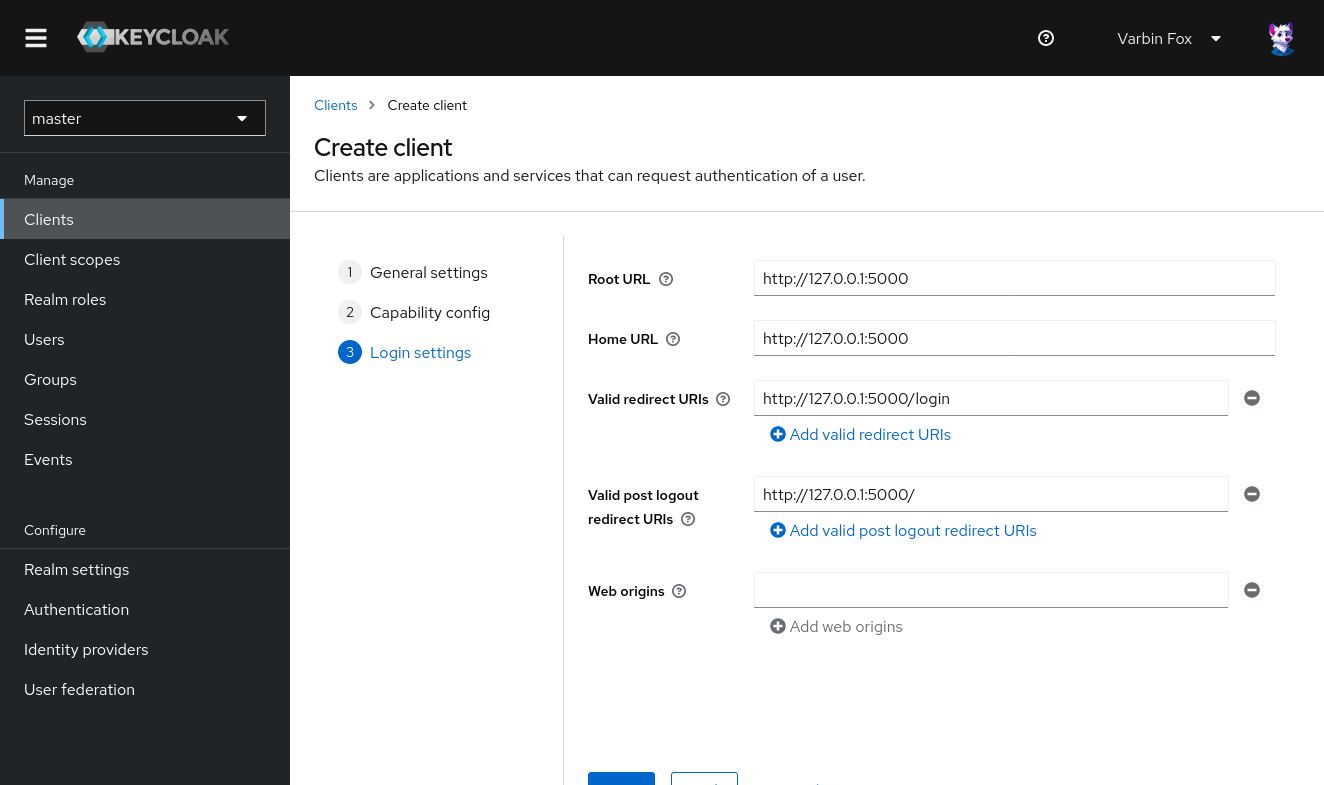
In the next screen set the following values:
- Root URL: http://127.0.0.1:5000
- Valid redirect URIs: /login
- Valid post logout redirect URIs: /
From the credentials tab, copy the client secret.
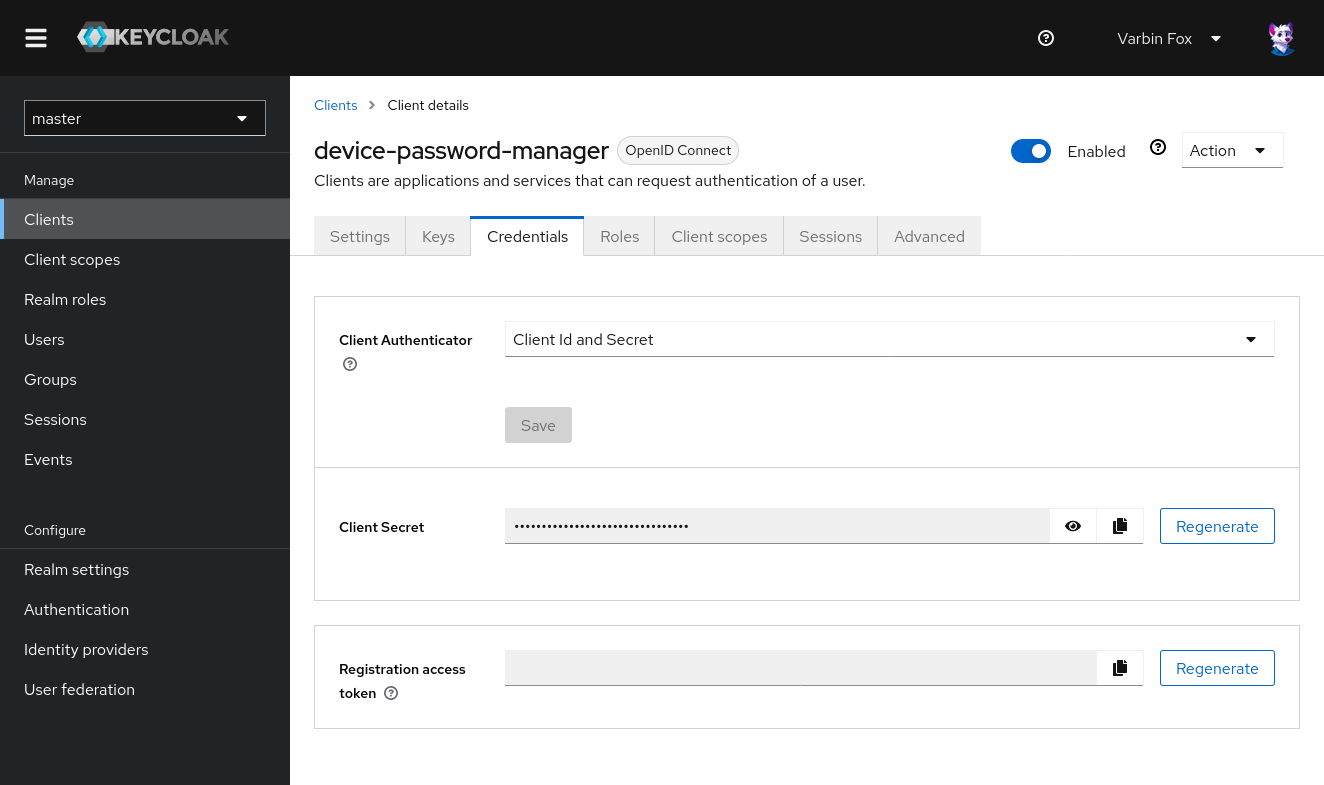
Store the copied client secret in your docker-compose.yml in the variable client secret:
services:
  devicepasswords:
    image: ghcr.io/varbin/devicepasswords:trunk
    environment:
      # ...
      DP_OIDC_CLIENT_ID: "device-password-manager"
      DP_OIDC_CLIENT_SECRET: "client-secret" # (1)!
      # ...
- Add you client secret here
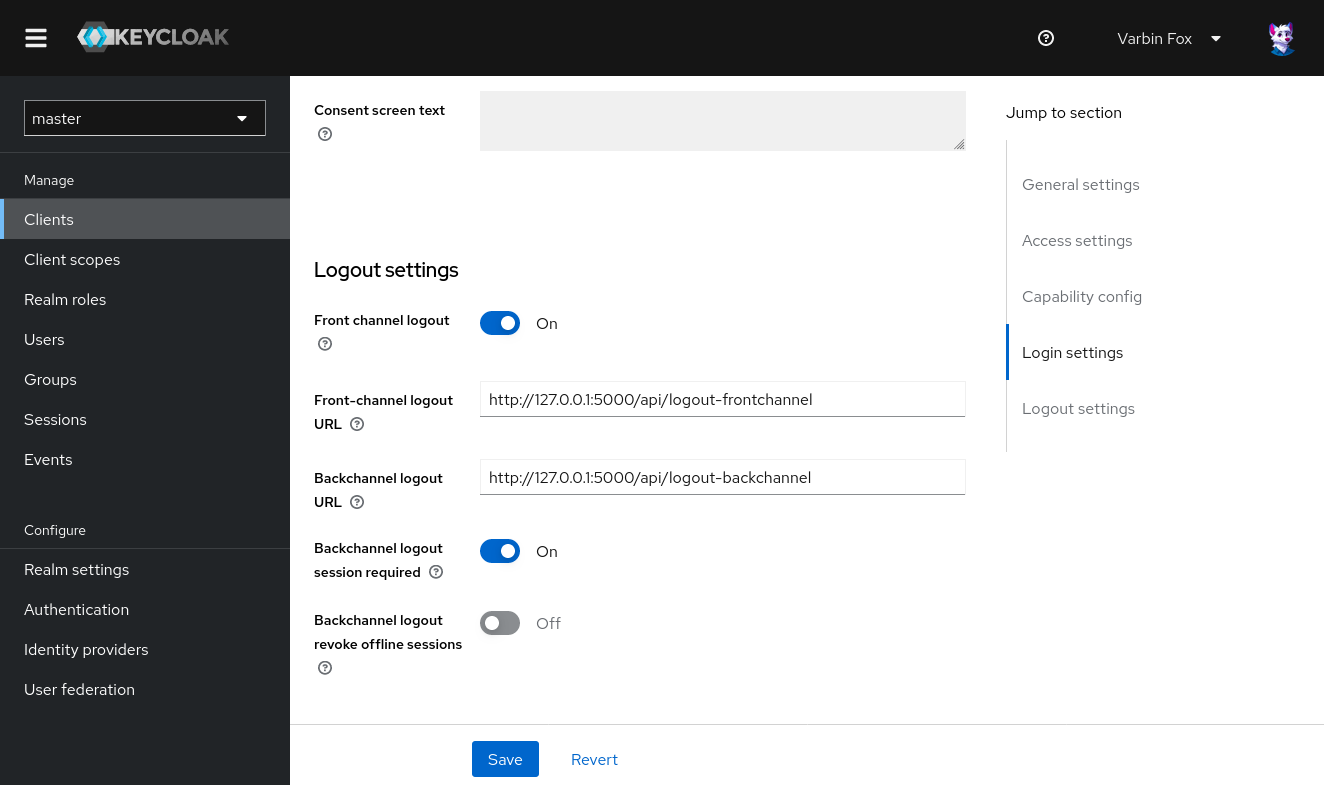
You can add the http://127.0.0.1:5000/api/logout-frontchannel as frontchannel and
http://127.0.0.1:5000/api/logout-backchannel as the backchannel one.
How to integrate other identity providers (IdPs)?
If you do not keycloak in production, look at the guide on how to integrate with an Identity provider. Any IdP supporting OpenID Connect (IdP) is supported. Please keep in mind each instance of the device password manager only supports a single identity provider at a time.
Add an email address to the admin account
By default, the administrator account of keycloak does not have an email address associated. There attempting to log in to the device password manager will fail with the error Missing claim "email".
In the keycloak administrator interface navigate to Users and select your account. Add any email-address you want and check Email verified.
Validate the integration
Recreate the devicepasswords container with docker compose up devicepasswords -d-
Navigate to http://127.0.0.1:5000 to visit the device password manager and log in with your keycloak account.